
Introduction
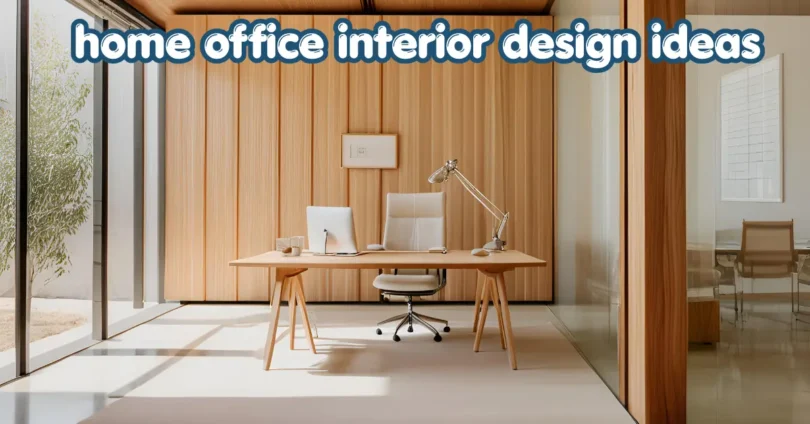
Home office interior design ideas can help you turn an ordinary corner, spare room, or unused space into a comfortable and productive workplace. The best home office is not simply attractive; it should provide enough lighting, comfortable furniture, practical storage, good organization, and a layout that supports the way you work.
Whether you work from home full-time, run a small business, study, attend online meetings, or need a quiet place for personal projects, thoughtful interior design can make your workspace more functional.
This guide explains how to choose the right home office layout, desk, chair, lighting, colors, storage, décor, and technology. It also covers small-space solutions, common mistakes, budget-friendly ideas, and practical ways to create a workspace that feels professional without losing the comfort of home.
What Makes a Good Home Office Design?

A good home office design balances comfort, functionality, organization, lighting, and personal style. Every item should have a purpose, while the overall space should remain comfortable enough for extended periods of work.
Before buying furniture or decorating, think about how you actually use the room. Someone who works mainly on a laptop may need less desk space than someone who uses multiple monitors, paperwork, or creative equipment.
A functional home office usually includes:
- A suitable desk and comfortable chair
- Adequate natural or artificial lighting
- Organized cable management
- Storage for documents and office supplies
- Enough space to move comfortably
- A background suitable for video calls
- Personal décor without excessive clutter
The goal is to create a workspace where everything you regularly need is easy to reach.
1. Choose a Layout Based on How You Work
One of the most important home office interior design ideas is choosing the layout before purchasing furniture.
Start by identifying the available floor space, windows, doors, electrical outlets, and sources of natural light. Then consider where your desk, chair, storage, and other equipment should go.
Desk-Focused Layout
A simple desk-focused layout works well for people who primarily use a computer. Place the desk where you have enough room for your chair and can comfortably access electrical outlets.
If possible, position the desk near a window for natural light while avoiding a position where direct sunlight constantly hits your monitor.
L-Shaped Layout
An L-shaped desk can be useful when you need separate areas for a computer, paperwork, creative work, or meetings.
It can also make use of a corner that might otherwise remain empty.
Flexible Layout
If your home office serves multiple purposes, choose furniture that can be moved easily. A compact desk, lightweight storage unit, and adjustable chair can make the room easier to adapt.
This approach is especially useful when a spare bedroom doubles as an office or when the workspace is located in a living area.
2. Select a Desk That Fits Your Space
The desk is the central element of most home offices, so choose one based on your actual work requirements rather than appearance alone.
Before buying a desk, consider:
- Available floor space
- Monitor or laptop requirements
- Keyboard and mouse space
- Storage requirements
- Cable management
- Your preferred working position
- Whether you need space for writing or paperwork
A minimalist desk can make a small office feel more open, while a larger desk may be more practical for demanding work.
Small Desk Ideas for Compact Offices
For a small room, consider:
- Wall-mounted desks
- Narrow writing desks
- Corner desks
- Foldable desks
- Compact computer desks
- Desks with integrated drawers
The important thing is to preserve enough space around the desk so the room does not feel crowded.
3. Invest in a Comfortable Office Chair
A stylish desk cannot compensate for an uncomfortable chair. Since you may spend several hours sitting at your workstation, comfort and adjustability should be important considerations.
Look for a chair that provides appropriate support and allows you to adjust the seat height. Armrests, back support, seat depth, and material can also affect comfort.
Your feet should be able to rest comfortably, and your workstation should allow you to maintain a relaxed working posture.
Chair Style Matters Too
Your chair does not have to look like traditional corporate office furniture. Modern home offices can use upholstered chairs, minimalist ergonomic chairs, wooden-frame chairs, or other designs that complement the room.
However, appearance should not be the only consideration. A beautiful chair that becomes uncomfortable after an hour may not be a practical choice.
4. Use Natural Light Strategically
Lighting can significantly influence how comfortable a workspace feels. Natural light can make an office feel brighter and more welcoming, while layered artificial lighting helps you work when daylight is limited.
If your office has a window, consider positioning your desk so that daylight comes from the side rather than directly behind or in front of your screen.
This can help reduce distracting reflections and make the workspace more visually comfortable.
For artificial lighting, consider combining:
- General room lighting
- A desk lamp
- Accent lighting
- Task lighting
A desk lamp is particularly useful when reading documents or working in the evening.
5. Create a Modern Home Office With a Simple Color Palette
Color is one of the easiest ways to change the atmosphere of a home office.
Neutral shades such as white, beige, gray, cream, and soft natural tones can create a calm appearance. If you prefer something more expressive, introduce a darker accent wall or small areas of color through artwork, furniture, cushions, or accessories.
How to Choose Office Colors
Think about the atmosphere you want:
Calm and minimal: Use neutral colors with natural textures.
Warm and comfortable: Combine cream, beige, wood, and soft earthy tones.
Modern: Use clean neutrals with black or darker accents.
Creative: Add controlled pops of color through artwork or accessories.
Avoid using too many competing colors in a small office because they can make the space appear visually busy.
6. Add Smart Storage to Reduce Clutter
Good storage is essential for a productive workspace. A desk covered with papers, cables, stationery, and miscellaneous objects can quickly become difficult to use.
Choose storage according to what you actually need to keep.
Useful options include:
- Floating shelves
- Filing cabinets
- Drawer organizers
- Storage boxes
- Bookcases
- Wall-mounted organizers
- Desk drawers
Use Vertical Space
When floor space is limited, look upward.
Wall-mounted shelves can provide storage without taking up valuable floor area. A pegboard can also be useful for organizing lightweight office supplies, headphones, notes, or accessories.
The key is to keep frequently used items within easy reach while storing rarely used items farther away.
7. Design a Small Home Office Without Making It Feel Crowded
Small spaces require careful planning, but you do not need a large room to create an effective office.
Start with the essentials. Instead of filling the room with furniture, select pieces that serve multiple purposes.
For example, a desk with drawers can eliminate the need for a separate storage cabinet. Wall shelves can replace a large bookcase.
Small Home Office Ideas
Try these practical solutions:
- Use a compact desk.
- Choose furniture with built-in storage.
- Use wall-mounted shelves.
- Keep the floor visually clear.
- Use light colors if they suit your style.
- Hide unnecessary cables.
- Keep decorative objects limited.
- Use mirrors carefully to increase the feeling of openness.
A small office often looks better when it has fewer, better-chosen items.
8. Create a Professional Background for Video Calls
If you regularly attend online meetings, consider what appears behind you on camera.
A professional background does not need to look corporate. A clean wall, bookshelf, artwork, plants, or carefully arranged décor can create an attractive backdrop.
Avoid placing excessive clutter directly behind your chair.
Before finalizing the layout, test your camera from your normal working position. Check what is visible in the frame and adjust the furniture or décor accordingly.
9. Bring Nature Into the Workspace
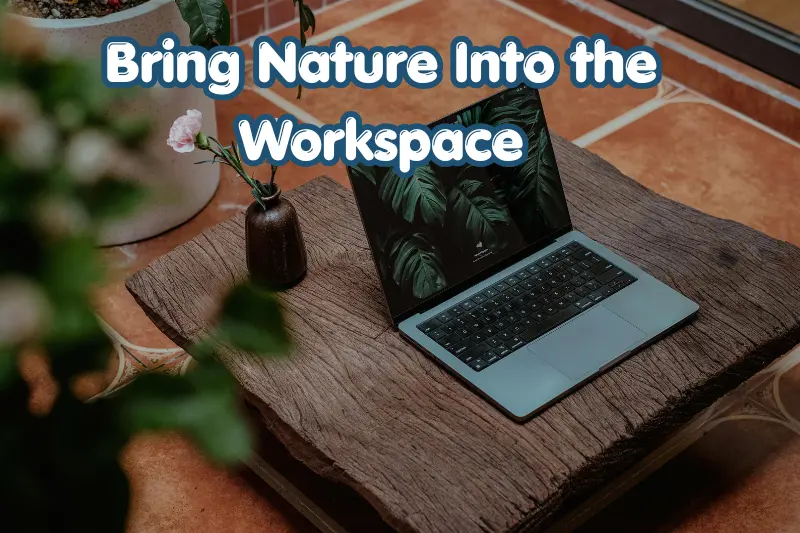
Plants can add visual interest and introduce natural texture to an otherwise technology-heavy environment.
If you have enough natural light, consider adding a few suitable indoor plants. For spaces with limited light, choose plants based on the actual lighting conditions rather than selecting them purely for appearance.
You can also introduce natural elements through:
- Wooden furniture
- Woven baskets
- Natural textiles
- Stone or ceramic accessories
- Nature-inspired artwork
The aim is not to turn the office into a garden. A few carefully selected natural elements can be enough.
10. Use Cable Management for a Cleaner Look
Cables are often overlooked when designing a home office. Multiple chargers, monitor cables, power strips, and accessories can make even a beautiful workspace look messy.
Simple cable management can make a noticeable difference.
Try:
- Cable clips
- Cable sleeves
- Under-desk cable trays
- Velcro cable ties
- A designated charging area
- Clearly organized power strips
Keep cables away from walking paths and avoid creating tangled groups behind the desk.
A clean cable setup also makes it easier to clean and troubleshoot your equipment.
11. Add Personal Décor Without Creating Clutter
Your home office should reflect your personality, but decoration should support rather than overwhelm the workspace.
Consider adding:
- Framed artwork
- Family photographs
- A small plant
- A desk clock
- Decorative storage
- A simple rug
- A few meaningful objects
Instead of decorating every available surface, choose a few pieces that complement the room.
This creates a more intentional appearance and keeps the workspace practical.
12. Consider Ergonomics When Planning the Workspace
Interior design should not focus only on appearance. The way your desk, chair, monitor, keyboard, and other equipment are positioned can influence everyday comfort.
A practical workstation should allow you to work without constantly twisting, reaching, or leaning.
Consider these basic principles:
- Keep frequently used objects within comfortable reach.
- Position your monitor so you do not constantly look downward.
- Adjust your chair to a comfortable working height.
- Keep enough space under the desk for your legs.
- Avoid working in awkward positions for long periods.
- Take regular breaks from prolonged sitting.
For individual ergonomic needs, professional guidance may be appropriate, particularly if you experience persistent discomfort.
13. Choose Furniture That Matches Your Home
A home office does not have to look completely separate from the rest of your house.
If your home uses modern furniture, a minimalist desk and clean-lined storage can maintain visual consistency. For a traditional interior, wooden furniture and classic finishes may fit more naturally.
Think about the relationship between:
- Desk finish
- Flooring
- Wall color
- Lighting fixtures
- Storage
- Chair material
- Decorative accessories
When these elements complement each other, the office feels like part of the home rather than an afterthought.
14. Budget-Friendly Home Office Interior Design Ideas
You do not need to completely renovate a room to improve your workspace.
Start with the changes that provide the most practical value.
Low-Cost Improvements
- Rearrange existing furniture.
- Declutter your desk.
- Add a desk lamp.
- Organize cables.
- Install simple shelves.
- Add one or two plants.
- Refresh wall décor.
- Use storage boxes.
- Improve your background for video calls.
When to Spend More
Consider investing more in items you use every day, particularly your desk and chair. Storage and lighting can also be worthwhile upgrades when your existing setup creates practical problems.
A useful rule is to improve functionality first and decoration second.
15. Common Home Office Design Mistakes to Avoid
Even attractive home offices can become uncomfortable or inefficient when the design is based entirely on appearance.
Buying Furniture Before Measuring
Always measure the available space before ordering a desk, chair, shelves, or cabinet.
Ignoring Lighting
A beautiful office with poor lighting can be frustrating to use. Plan both daylight and artificial lighting.
Overcrowding the Room
Too much furniture reduces usable space and can make a small room feel even smaller.
Choosing Style Over Comfort
A fashionable chair or desk is not automatically a practical one. Consider how you will use it every day.
Forgetting Storage
Without a storage plan, documents and accessories eventually spread across the workspace.
Leaving Cables Unmanaged
Visible cable clutter can undermine an otherwise organized design.
Adding Too Much Décor
Decorative objects should enhance the room rather than take over your working surface.
Home Office Design Ideas: Quick Comparison
| Office Style | Best For | Key Features |
|---|---|---|
| Minimalist | Small spaces | Simple furniture, fewer accessories |
| Modern | Contemporary homes | Clean lines, neutral colors |
| Traditional | Classic interiors | Wood furniture, warm finishes |
| Small-space | Apartments or bedrooms | Compact desks, vertical storage |
| Creative | Designers and creators | Flexible layout, inspiring décor |
| Multi-purpose | Shared rooms | Adaptable and movable furniture |
How to Plan Your Home Office Step by Step
If you are starting from an empty room, follow this simple process:
Step 1: Measure the Room
Record the room dimensions, door position, windows, outlets, and other fixed features.
Step 2: Define Your Work Needs
Decide whether you need one monitor, multiple screens, paperwork space, storage, or room for creative equipment.
Step 3: Choose the Desk
Select a desk that fits the room and provides enough workspace without overwhelming the floor plan.
Step 4: Select a Comfortable Chair
Choose an adjustable chair that supports your daily working habits.
Step 5: Plan Lighting
Use available daylight and add task lighting where necessary.
Step 6: Add Storage
Use drawers, shelves, cabinets, or wall-mounted solutions to control clutter.
Step 7: Organize Technology
Plan cable routing, charging areas, monitor placement, and other equipment before finalizing the arrangement.
Step 8: Add Personality
Finish with artwork, plants, accessories, and other décor that reflects your style.
Step 9: Test the Space
Work at the desk for a while and identify anything that feels inconvenient. Adjust before adding more furniture.
Frequently Asked Questions
What are the best home office interior design ideas for a small room?
The best approach is to prioritize functionality and use the available space efficiently. Choose a compact desk, use vertical shelving, keep the floor clear, manage cables, and avoid unnecessary furniture. Wall-mounted storage and multifunctional furniture can provide additional utility without making the room feel crowded.
How can I make my home office look more professional?
Start with a clean and organized layout. Use coordinated furniture, suitable lighting, concealed cables, and limited décor. If you attend video meetings, create a tidy background using a clean wall, bookshelf, artwork, or a few carefully selected decorative elements.
What color is best for a home office?
There is no single best color for every home office. Neutral shades can create a calm and versatile environment, while warmer or darker colors can add character. Choose a palette that complements your home and feels comfortable for long periods of work rather than following a trend purely for appearance.
How do I design a home office on a budget?
Start with the furniture and equipment you already own. Rearrange the room, remove unnecessary clutter, improve cable organization, add affordable storage, and upgrade lighting. When you do spend money, prioritize items that you use every day, such as a suitable desk and comfortable chair.
How can I make my home office more productive?
Create a dedicated working area with minimal distractions, comfortable furniture, adequate lighting, and accessible storage. Keep your desk organized and separate work equipment from unnecessary objects. A consistent layout can also make it easier to maintain an efficient routine while working from home.
Conclusion
The best home office interior design ideas combine comfort, functionality, organization, lighting, and personal style. You do not need a large room or an expensive renovation to create a useful workspace.
Start by measuring your space and understanding how you work. Then choose a suitable desk and chair, improve lighting, add practical storage, organize cables, and introduce a small amount of personal décor.
If you are redesigning your office today, begin with one simple step: clear the space, measure the room, and identify the three changes that would make your daily work easier. Build the design around those priorities rather than adding furniture simply because it looks attractive.
SEO-Friendly URL Slug
/home-office-interior-design-ideas/
Image Alt Texts
- Modern home office interior design with wooden desk and comfortable chair
- Small home office interior design ideas with wall shelves and compact desk
- Minimalist home office workspace with natural lighting and organized storage
- Stylish home office with ergonomic chair, desk lamp, plants, and storage
- Modern home workspace with clean desk setup and professional video call background
Five Related Article Ideas
- Small Home Office Ideas for a Stylish and Productive Workspace
- How to Choose Furniture for a Living Room
- Modern Home Office Desk Setup Ideas for Every Space
- Best Lighting Ideas for a Comfortable Home Workspace
- Home Office Organization Ideas to Reduce Clutter
Rank Math Schema Title
Home Office Interior Design Ideas for a Stylish Workspace
Rank Math Schema Description
Discover practical home office interior design ideas for creating a comfortable, organized, stylish, and productive workspace in any home.
Focus Keyword
home office interior design ideas
Five Related Keywords
- home office design ideas
- modern home office ideas
- small home office design
- home office setup
- home workspace ideas